





September 29, 2021
Adding line spacing (also known as leading), is important to make any design accessible. Here we have provided a code snippet on how to add leading to your copy to ensure you have met UI and UX best practices. In short; Too-little leading makes type hard to read, while increasing the line spacing dramatically improves readability.
How much line space does depends on the design, copy, and your audience but by adding 1.5 to 2px of leading, will ensure your copy is accessible to all - it's hard to add too much!
To add this code into your site and ease the integration across all copy elements, you can use ‘em’ which amends the leading on all the current font size.
For example:
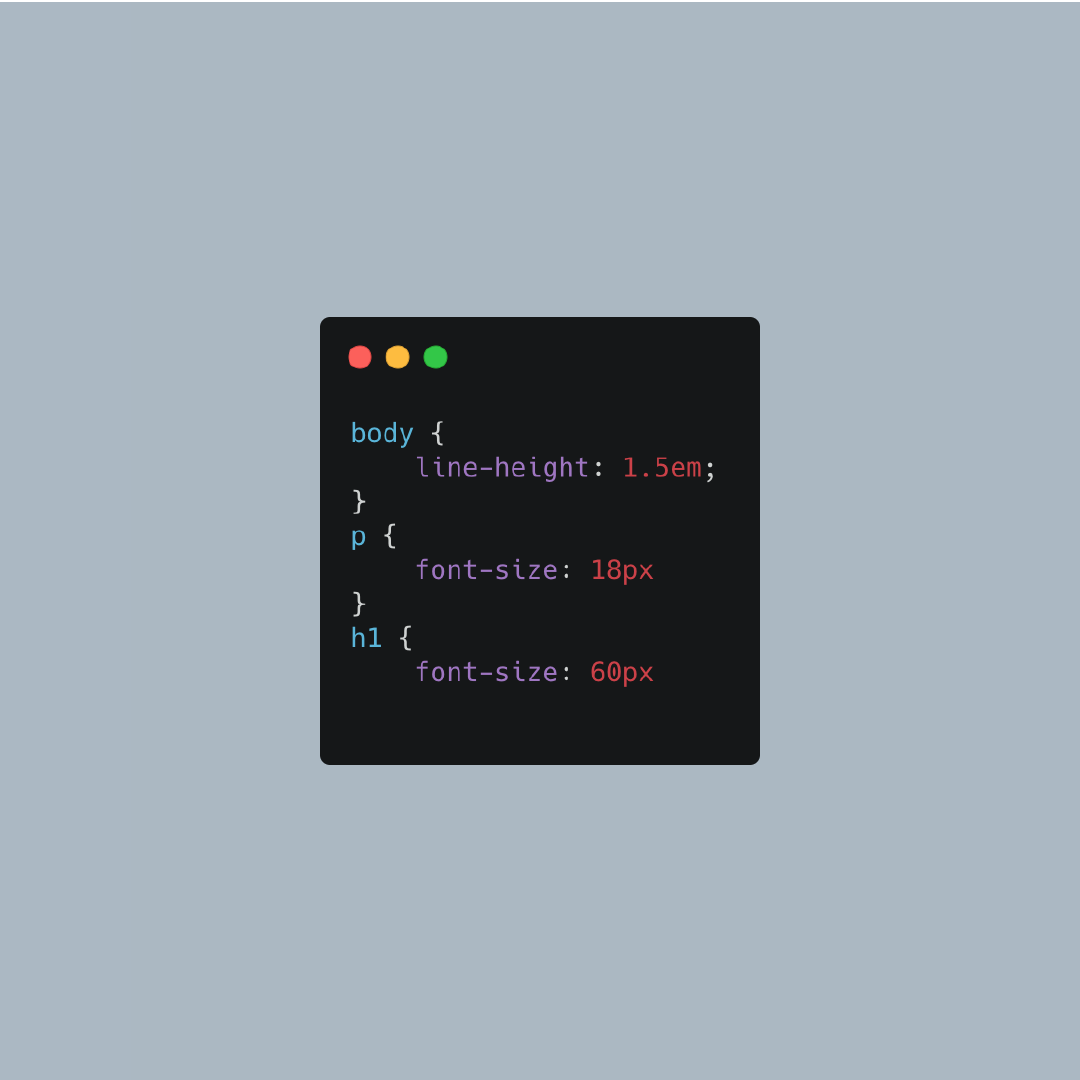
As you can see the spacing will be amended for Paragraph (p) copy and Heading 1 (h1) elements. We have integrated this across our site to assure all clients and readers can access our blogs and learn with ease.
For more about accessible UX and UI Standards check out W3 guidelines.
Try this code out for yourself
Last updated: October 22, 2021