




November 13, 2026
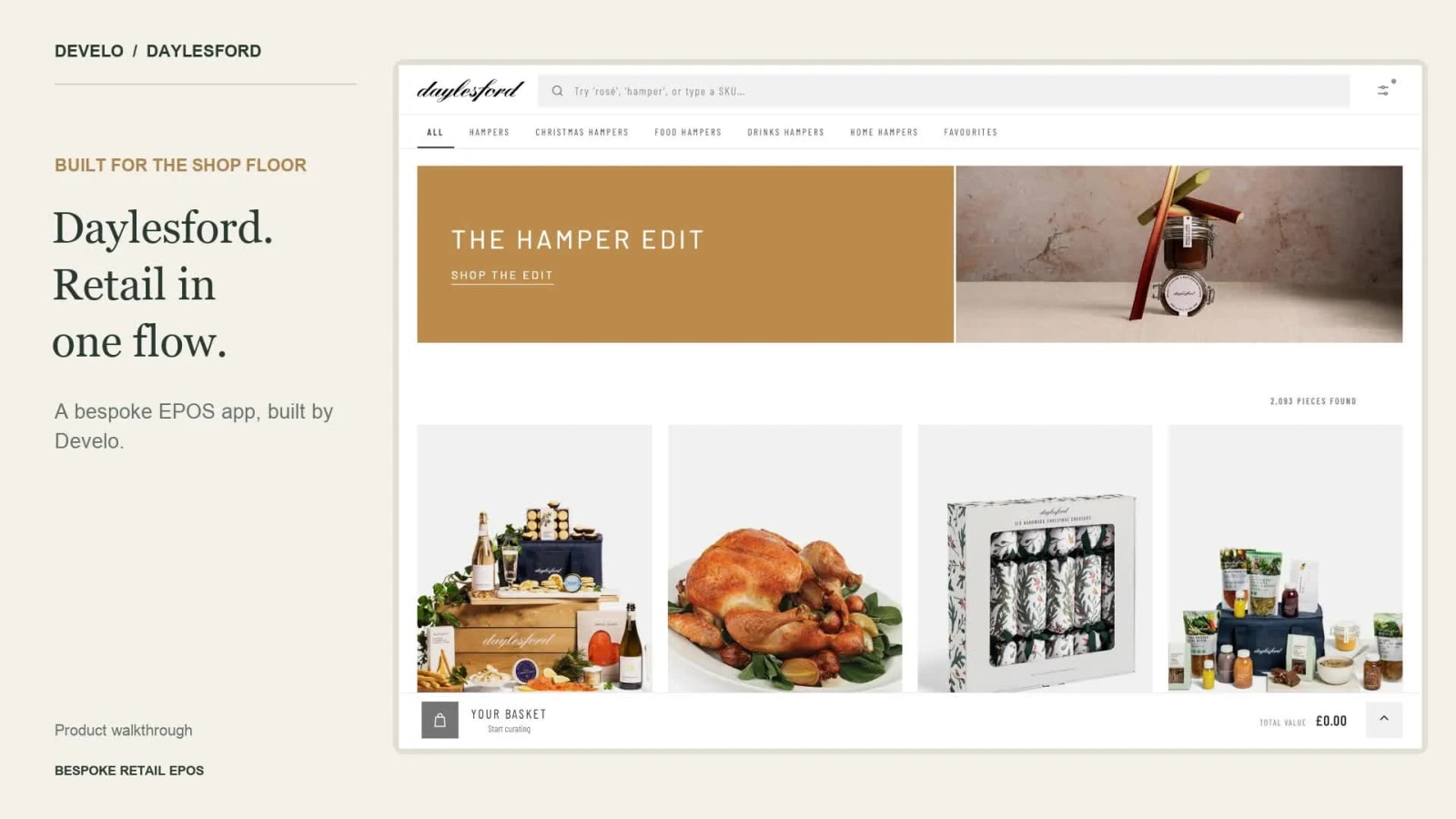
We built a bespoke retail app for Bamford and Daylesford that brings product search, bespoke merchandising, baskets and Adyen tap to pay card payments into one smooth, in-person selling experience.
The app supports multiple stores and it installs directly from the browser as a Progressive Web App (PWA). It uses Klevu (now part of Athos Commerce), to help staff merchandise for specific events.
A bespoke EPOS experience
In-person retail is different to online shopping, but there is no reason it shouldn't also have the same strange brand experience.
Staff need to move between products, answer questions and build a basket while staying focused on the customer. So we built the interface around that conversation, with clear product imagery, accessible product details and a basket that stays close at hand.
Because the app is bespoke, the experience can be shaped around the way each team works. The app features a wide array of display options include product grid density, image-gallery behaviour and a choice of a bottom basket bar or a side panel, so it can be personalised to the best possible selling experience.
Fast search and filtering with Klevu
Product merchandising and discovery is powered by Klevu, now part of Athos Commerce. Staff can search by product name or SKU, use suggested searches, and narrow the catalogue through categories.
Member's of staff can find products, store favourites lists, and check product details stock and delivery dates, then add it to the basket seamlessly without repeatedly moving between separate pages.

Build and manage the basket in one place
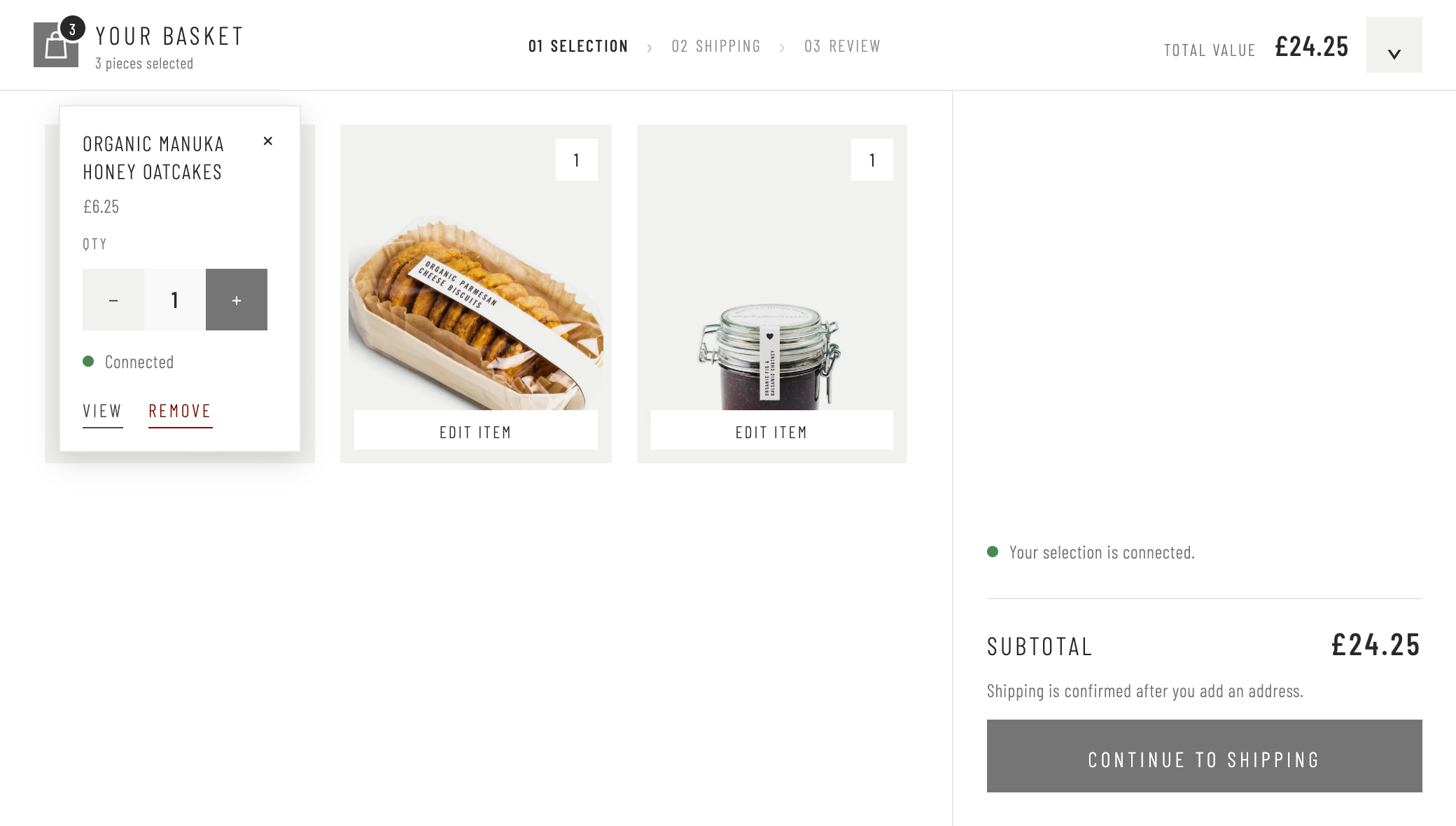
Staff can add products as they browse, then review the basket in one place. Product images, quantity controls and a clear subtotal make it easy to adjust the selection with the customer before continuing to checkout.
Support for multiple stores
Each device can be assigned to a physical shop using a store list managed in Magento. That gives the app a clear location for attributing sales, while letting Daylesford use the same retail experience across multiple stores.
A team can configure the assistant name, location and the payment terminal for its selling stations. Allowing flexible reports across order sources.
Adyen card terminals Tap and Swipe
The app integrates Adyen card terminals through the Adyen POS Cloud payment flow and a bespoke Magento integration. Staff can choose a connected terminal, pair it with the device and check its connection from the app’s settings.
At checkout, the app submits the basket through Magento and uses the paired terminal for the in-person card payment. This connects the retail experience and a card reader in one workflow, with all possible payment response statuses handled within the app.


A smooth single-page application
The app updates product results, opens product details and manages the basket within a single-page interface. Staff can move through the sale quickly without the repeated full-page reloads of a conventional website.
Klevu handles discovery; Magento remains responsible for validating the basket and placing the order.
Quick to install as a PWA
The PWA can be added directly from the browser on supported devices, without an app-store download. On an iPad, staff add it the app to Home Screen and launch it in its own native looking app window without the browser’s address bar.
That makes onboarding a selling device straightforward: open the app, add it to the Home Screen, choose the shop and pair the card reader and you're ready to transact.
If your retail team needs an application built around the way it works, talk to Develo.
Last updated: November 14, 2026