




November 13, 2026
A category page is where customers compare products and decide what to explore next. It is also a useful place to explain an offer, introduce a collection or highlight a service. But adding a promotional message should not mean rebuilding the page or squeezing a banner into a space that was never designed for it.
Flexible Ads puts promotional cards and full-width banners directly into Magento and Mage-OS category product listings. Your team controls the content, placement and targeting from the admin, with reporting that shows whether shoppers actually saw the message and clicked it.
We are preparing the module for release through Mage-OS Lab. Flexible Ads is currently listed as an incubating project; this article introduces the implementation we have built, ahead of its public release.
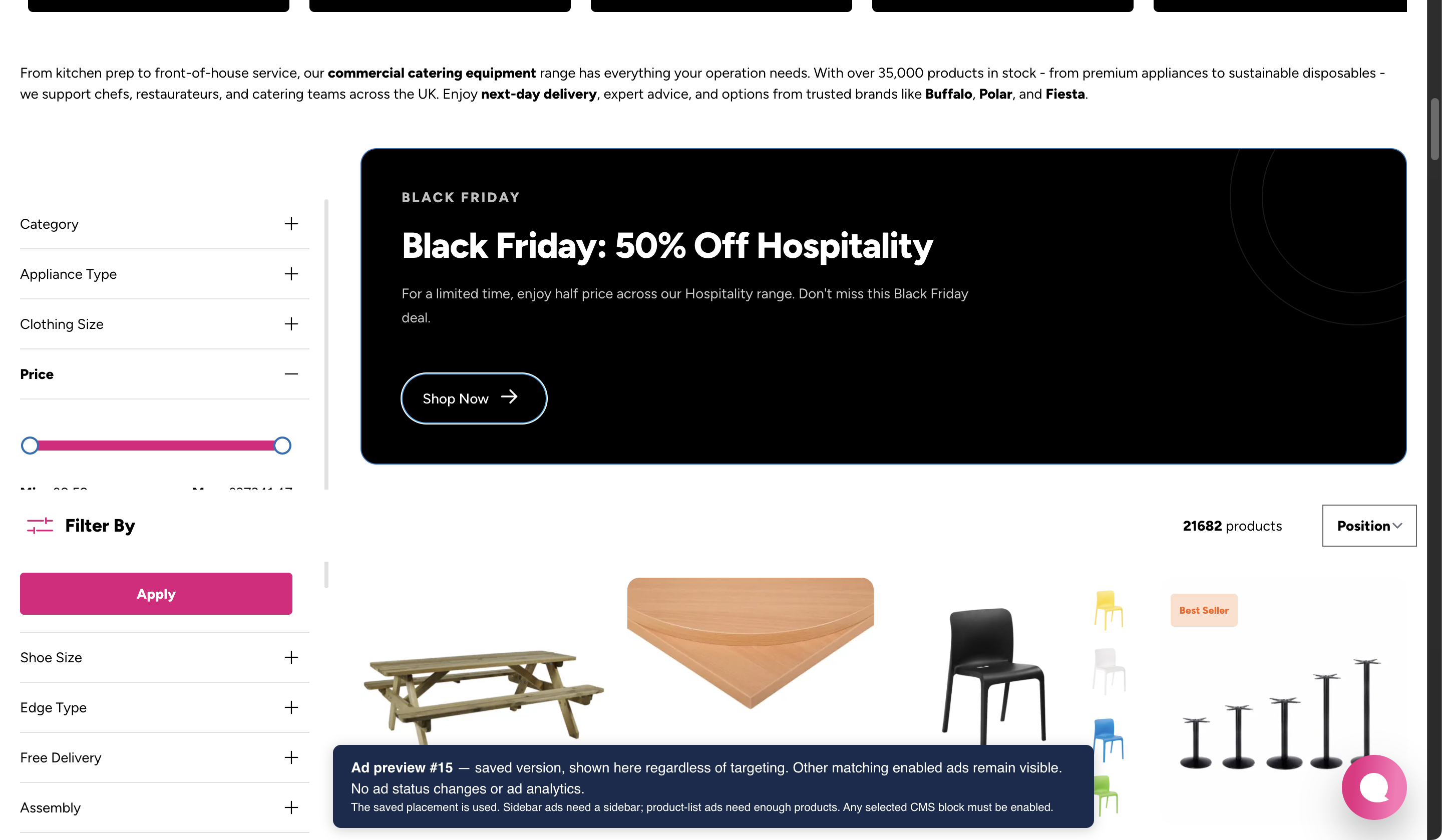
The screenshots below show Costcutters staging examples, not production performance. Available options and installed integrations may differ between stores. Select a screenshot to view it at full size.
Your promotions, inside the product grid
Despite the name, Flexible Ads is not an advertising network. It is a way to place your own content among the products customers are already browsing.
That could be a card promoting a new collection after the first few products, a full-width message about delivery or finance, or a category-specific banner linking to a buying guide. The content can support the shopping journey without replacing the product listing.
You can create multiple ads and control:
- Where they appear: select categories and store views, or leave those selections empty to cover all of them.
- Their position in the listing: choose a product position and use sort order to organise ads sharing a position.
- How they look: use a card-sized placement or a full-width banner, with optional CSS classes for your theme.
- Whether they are active: enable or disable individual ads, or manage several together with bulk actions.
Category targeting is explicit: selecting a parent category does not automatically include its children. This makes it possible to tailor a message to the particular listing where it belongs.
Content your team can manage
Ads are managed under Content > Flexible Ads. Reuse an existing CMS block when a promotion already exists in your store, or write custom content in the editor. Page Builder can be used where it is available, but it is not required.
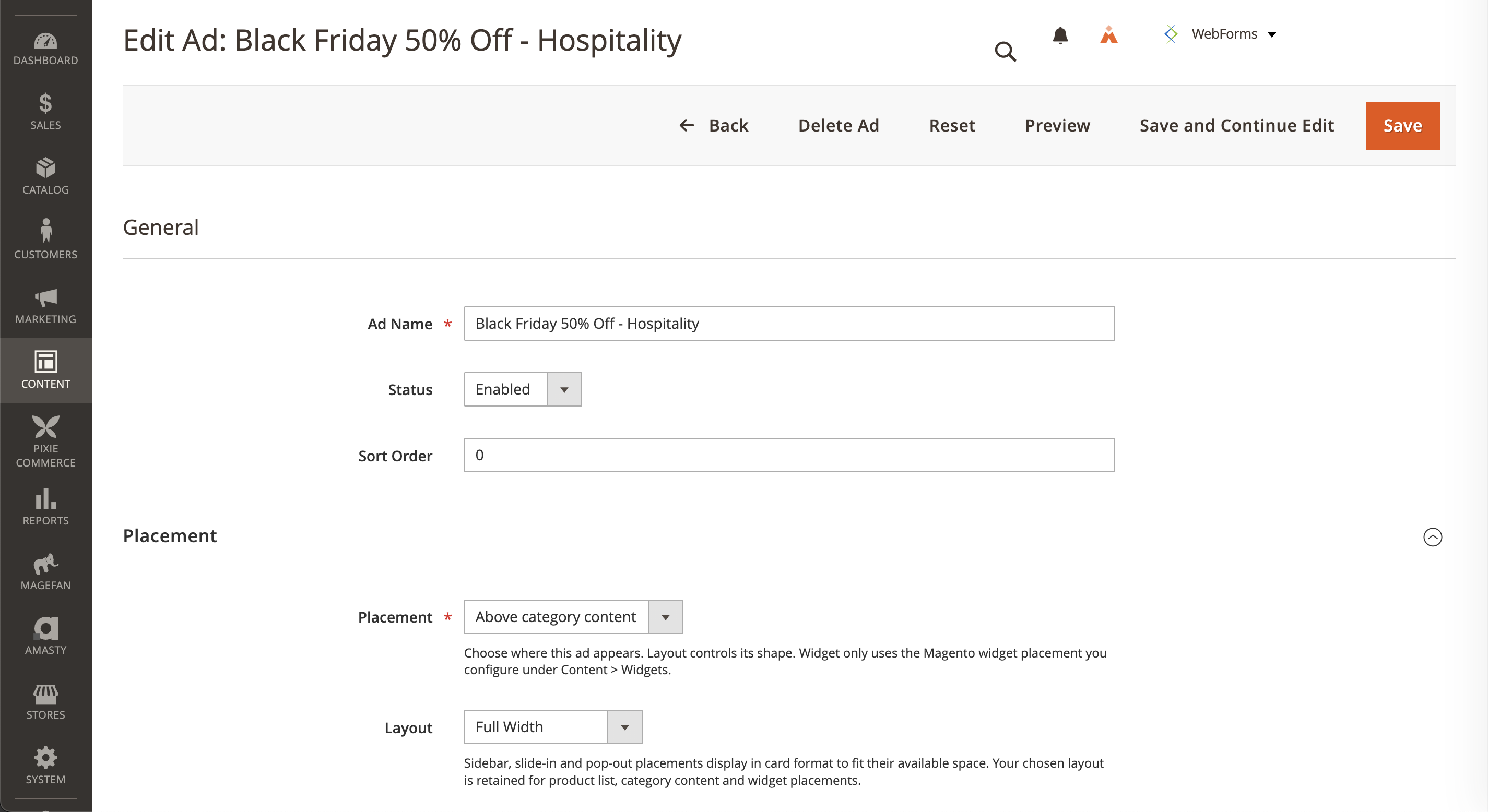
This keeps routine promotional changes within the Magento workflow your team already knows. Once the module and theme integration are in place, changing the copy or swapping a CMS block does not require a developer to edit a template for every campaign. Admin permissions let you control who can manage ads and access analytics.
The module also integrates with full-page caching: saving or deleting an ad invalidates the relevant cached content, and referenced CMS blocks contribute their cache identities.
Managing Flexible Ads with Mago
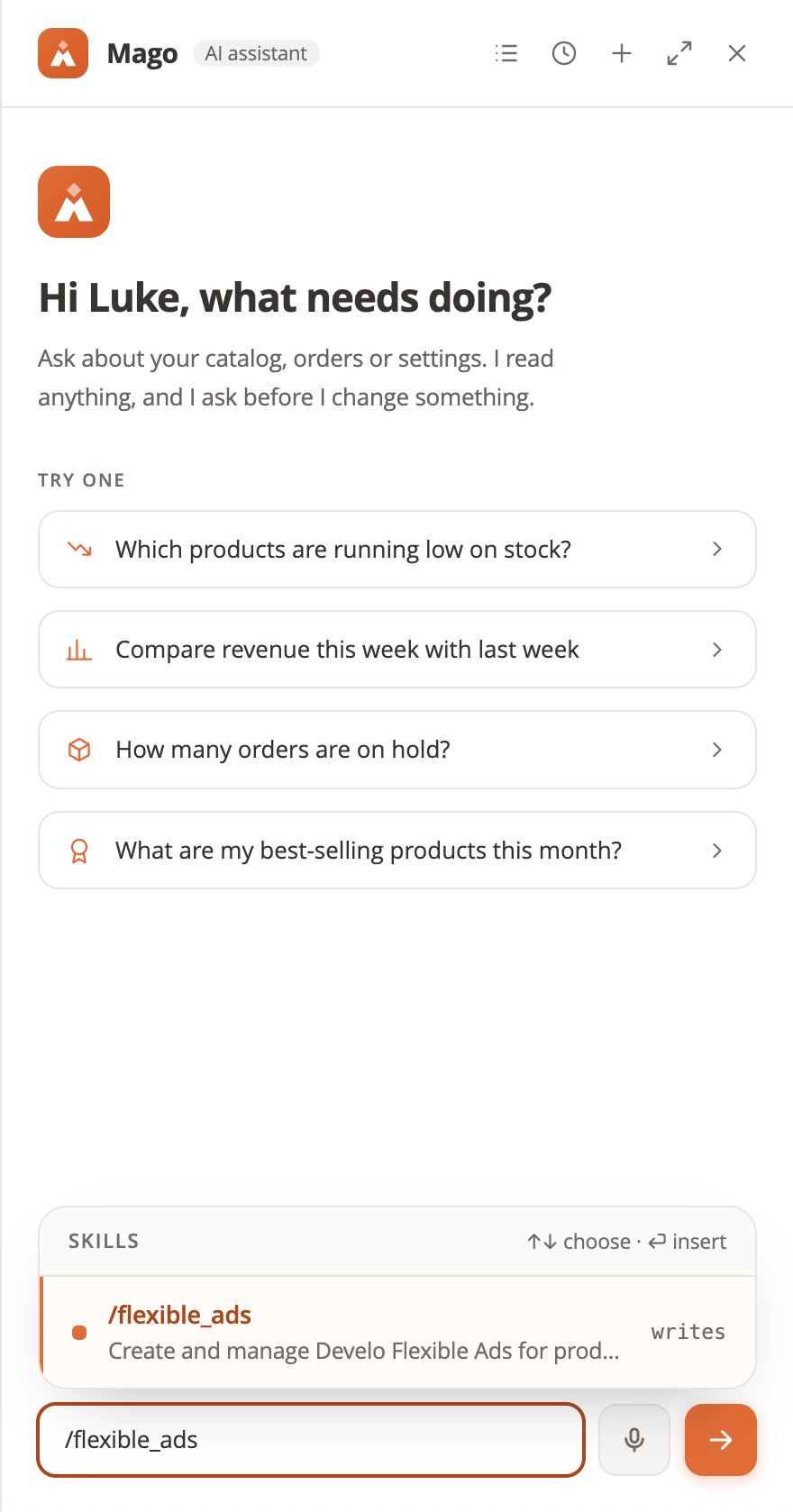
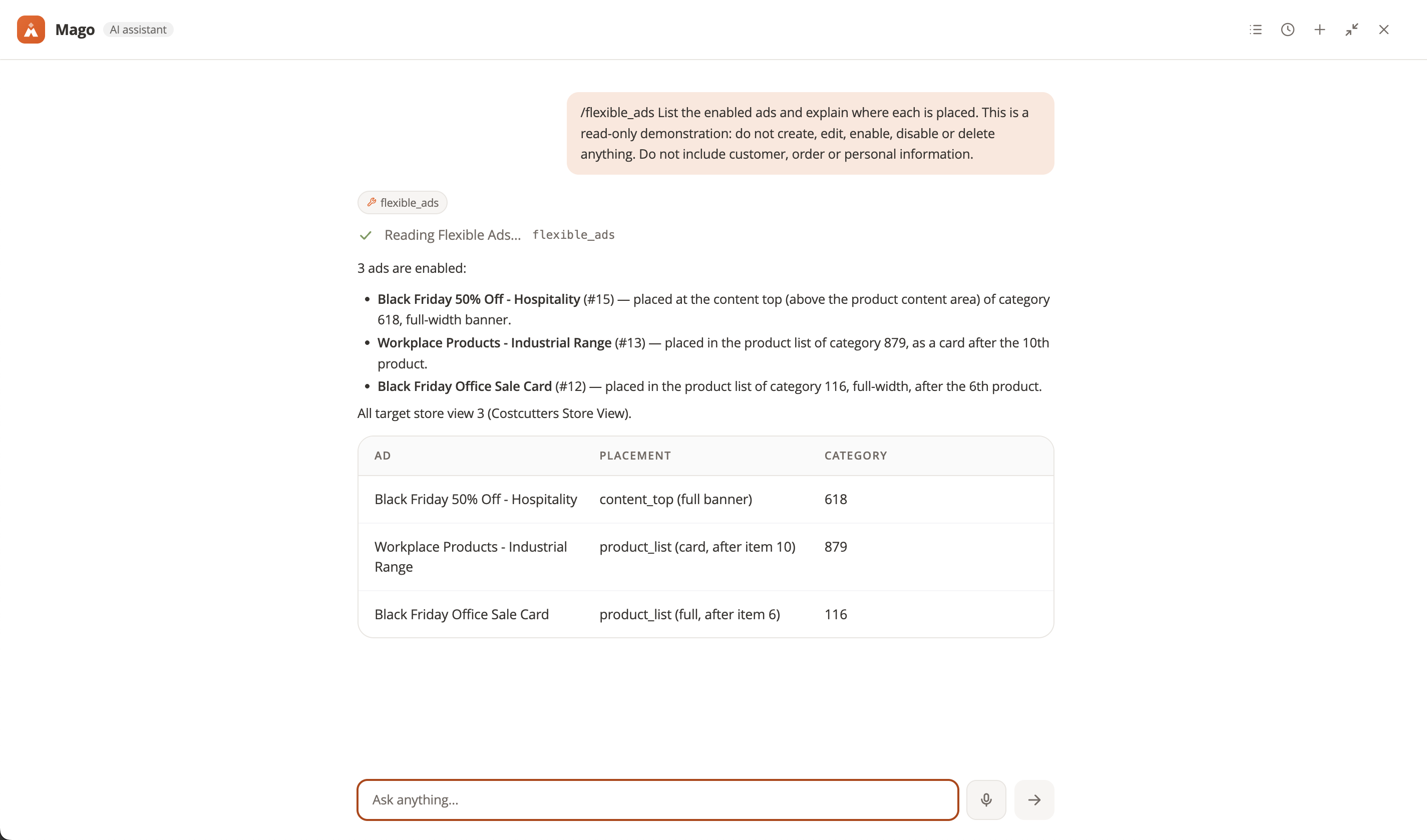
In Costcutters staging, we have also installed a Mago skill for Flexible Ads. The skill includes options to inspect existing ads, explore design templates and preview proposed content before saving. Saved ads can also be previewed within a real category page, even while disabled. Its configured workflow requires confirmation before creating or updating an ad, with new ads inactive by default. This is a custom integration installed alongside Flexible Ads, rather than something every module installation includes automatically.
Built for Luma and Hyvä layouts
A banner that works on a four-column desktop grid can interrupt a two-column mobile layout. Flexible Ads handles cards and banners differently to accommodate that change.
Card placements follow the requested product position. Full-width banners align to the end of a complete row. For example, a banner requested after the fourth product can appear after the sixth in a three-column grid, while remaining after the fourth in a two-column grid. Card ads already occupying spaces are taken into account too.
The module supports Luma and Hyvä and adjusts banner alignment when the grid changes. It moves the existing elements rather than recreating them, preserving product order and existing interactions. JavaScript is required for responsive row alignment, and a custom theme should still be checked against its own listing markup.
Measure views that were actually visible
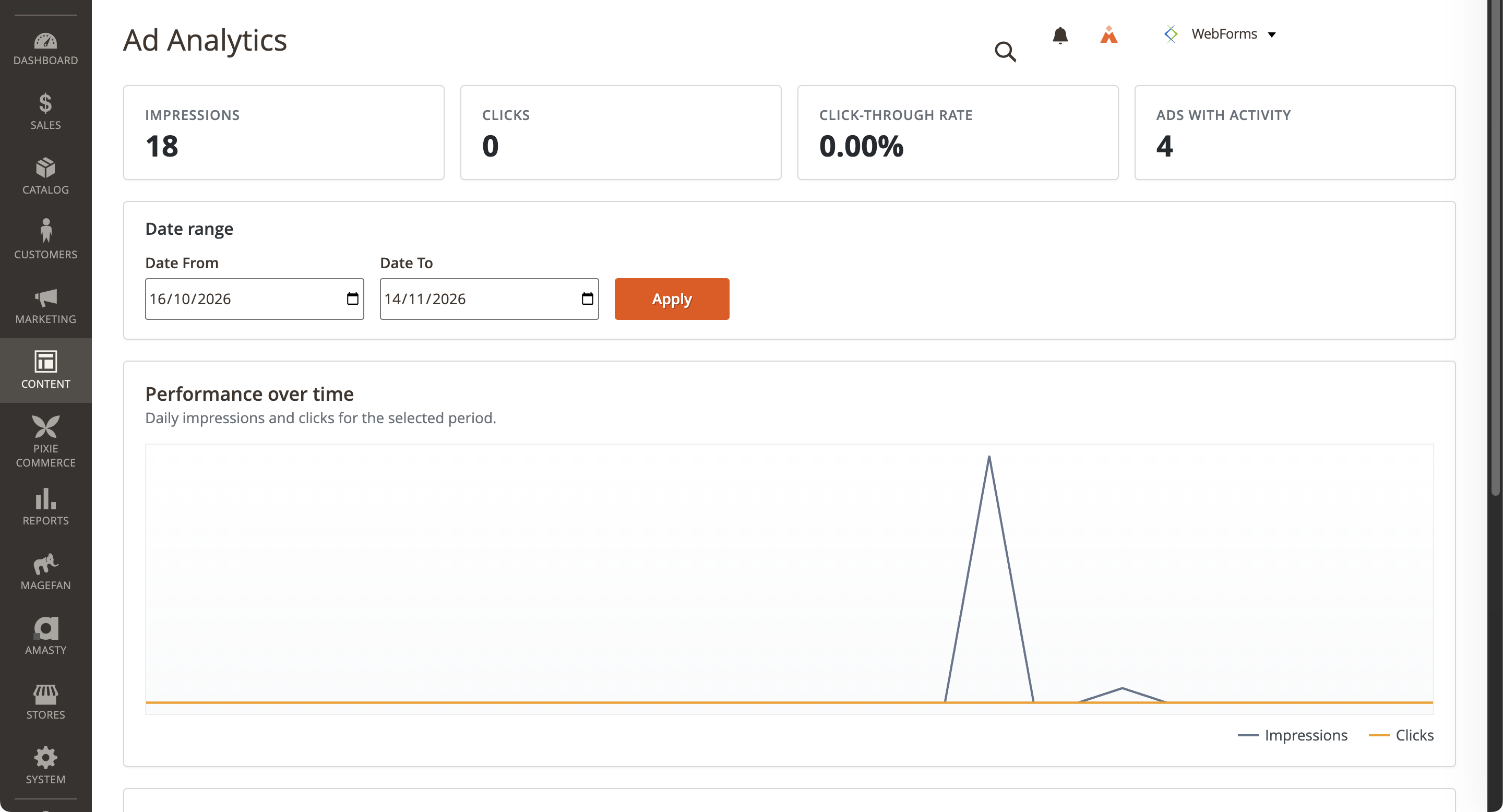
Loading a category page does not mean a shopper has seen every ad on it. Flexible Ads records an impression only when at least half of the ad has been visible for 500 continuous milliseconds in a visible browser tab.
An ad below the fold therefore does not immediately gain an impression. It must come into view and meet that threshold first. Impressions are deduplicated for each ad element on the page, and impressions occurring close together are collected into a batched request. Clicks on links within the ad are tracked separately.
The admin includes impression and click totals, click-through rate, individual ad history and an analytics dashboard with date filtering and daily charts. These give you a way to compare placements and messages. They measure exposure and engagement, not sales attribution: a higher click-through rate is not, on its own, proof of more revenue.
Choose how analytics are stored
There are two storage options to suit different installations:
- Database: accepted tracking requests update the daily totals directly. The module does not need Redis for this mode, and there is no Redis aggregation delay before those totals are available to the admin.
- Redis: events are buffered before a scheduled job writes them into the reporting database. The aggregation job is scheduled every minute, so Magento cron must be running for the admin figures to catch up.
Redis remains the default, so installations choosing the database option should select it explicitly. Cron also handles housekeeping. Running a catalogue indexer is not what refreshes these analytics.
Tracking includes signed tokens, validation and rate limiting to reduce invalid traffic. Optional raw-event storage and retention settings are available. The tracking uses a first-party cookie, so it should be considered alongside your store's privacy and consent requirements; these safeguards are not a blanket compliance guarantee.
How to get Flexible Ads
The planned public home is the Mage-OS Lab Flexible Ads repository. At the time of writing, the project is incubating and that repository does not yet contain a published module release. There is not a public Composer package we can point you to for this implementation today.
If you would like to explore using it before release, contact Develo about Flexible Ads. We can discuss your store, theme and deployment requirements. For the public version, follow the Mage-OS Lab project and use the package name and installation instructions provided with its release.
The current implementation requires PHP 8.4 or later within the PHP 8.x series, the PHP DOM extension, and a compatible Magento or Mage-OS release. Hyvä and Page Builder are optional. Redis is needed only if you choose the Redis analytics backend.
Installation belongs in your Magento project's Composer workflow, followed by the normal module enablement, database upgrade and deployment steps. Before going live, check the placements at your store's desktop and mobile breakpoints, confirm a visible impression and a link click reach the admin, and verify cron is running.
Give useful messages a place in the shopping journey
Flexible Ads gives merchants a practical combination: editable promotional content, placement that respects the product grid, and engagement reporting inside Magento. Start with a message that is useful in its category, choose an appropriate position, and use the data to assess whether customers are noticing and engaging with it.
Talk to Develo if you would like help planning where Flexible Ads could fit into your Magento or Mage-OS store.
Last updated: November 14, 2026