Products and catalogue
Business Central or PIM to Magento
Agree who owns product content, SKUs, variants, attributes, images and store-specific information.




Bring your store and ERP together with a Microsoft Dynamics 365 Business Central integration for Magento 2 or Adobe Commerce. Develo plans, implements and tests the connection around your products, stock, customers and orders, helping your team reduce manual work.



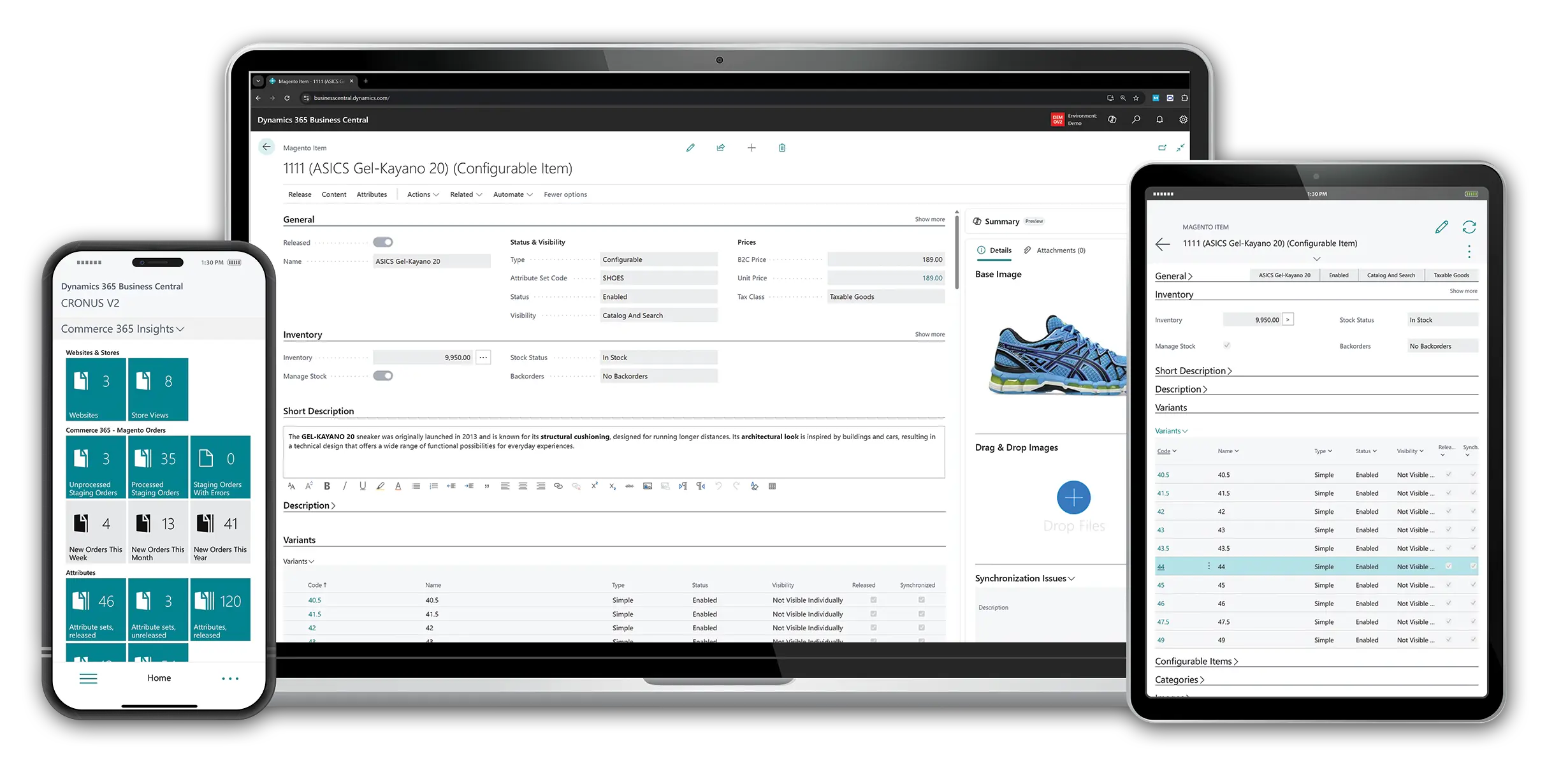
NVision's Commerce 365 brings Magento catalogue and order management into the Business Central interface your team already knows. Manage products, pricing and orders in one familiar workspace, with access across desktop, tablet and mobile.
If staff copy web orders into Business Central, update stock by hand or maintain customer prices in two places, growth adds more administration. An integration can automate agreed tasks and make exceptions easier to spot.
We start by deciding which system owns each record and what should happen when it changes. That gives your eCommerce, finance and warehouse teams a shared set of rules, with a clear scope for implementation and support.
Already have a connector that is missing orders or showing stale stock? We can review the existing setup and identify what needs to change before recommending a replacement.
These are common starting points for discovery. Your proposal defines the included fields, direction, frequency and exceptions for each flow.
Business Central or PIM to Magento
Agree who owns product content, SKUs, variants, attributes, images and store-specific information.
Business Central to Magento
Define warehouse mapping, reservations, stock buffers and how often availability should refresh.
Business Central to Magento
Map currencies, tax treatment, quantity breaks and customer-specific prices where supported by the selected solution.
Agreed flow between both systems
Decide where accounts are created, how existing customers are matched and which system owns addresses and account details.
Magento to Business Central
Map order lines, delivery charges, discounts, payment references and tax totals; define checks to prevent duplicate processing.
Business Central to Magento
Scope shipment status, tracking and invoice visibility. Agree separate rules for cancellations, returns and credit notes.
NVision Commerce 365 for Magento offers a Business Central connector with catalogue, order and customer features. Its B2B offering includes customer pricing and sales document access. We assess the current feature set, modules and licensing against your requirements.
Where a connector does not cover an essential workflow, we assess an extension or an API integration. Business Central provides REST APIs for connecting external systems; custom fields and processes may need additional work with your ERP partner.
You receive a recommendation that explains what is covered, what needs development and who will maintain each part. Read our Business Central and Magento integration guide for more background on the connector.
Trade accounts, negotiated prices and multiple stores need more than a basic order transfer. We scope how each customer is matched, which prices they see and how orders reach the correct Business Central company.
We confirm the required Magento edition, connector modules and custom work before promising a feature. Explore our wider B2B eCommerce services.
Review your Magento and Business Central setup with your ERP partner. Agree data ownership, field mapping, volumes, dependencies and acceptance criteria.
Set up the agreed connector or API work in test environments. Configure permissions, account matching and the rules for each data flow.
Test representative orders, discounts, tax totals and fulfilment updates. Check duplicate prevention, failed transfers, retries and reconciliation with your team.
Agree the initial data sync, cutover steps and recovery plan. Check live transactions, document responsibilities and arrange monitoring and support.

Our Magento and Adobe Commerce specialists work alongside your ERP partner and internal teams. We coordinate the storefront requirements, integration development and testing, with clear ownership of the changes needed on each side.
The scope depends on your data flows, number of companies and stores, custom fields, pricing rules and existing data quality. We also account for testing, your ERP partner's availability and any work needed on an existing connector.
Your proposal separates implementation from connector licences, subscriptions and ongoing support. We agree a delivery schedule after reviewing those dependencies.
For the first conversation, share your store URL, Magento version, Business Central version and deployment type if known, your ERP partner and the tasks you want to automate.